Tours · Destinations & landing pages
A landing page for every destination and activity
Organise tours by where, what and what kind of trip. Each destination, activity and category gets its own page, search filter and place in your menus.
Overview
Destinations & landing pages at a glance
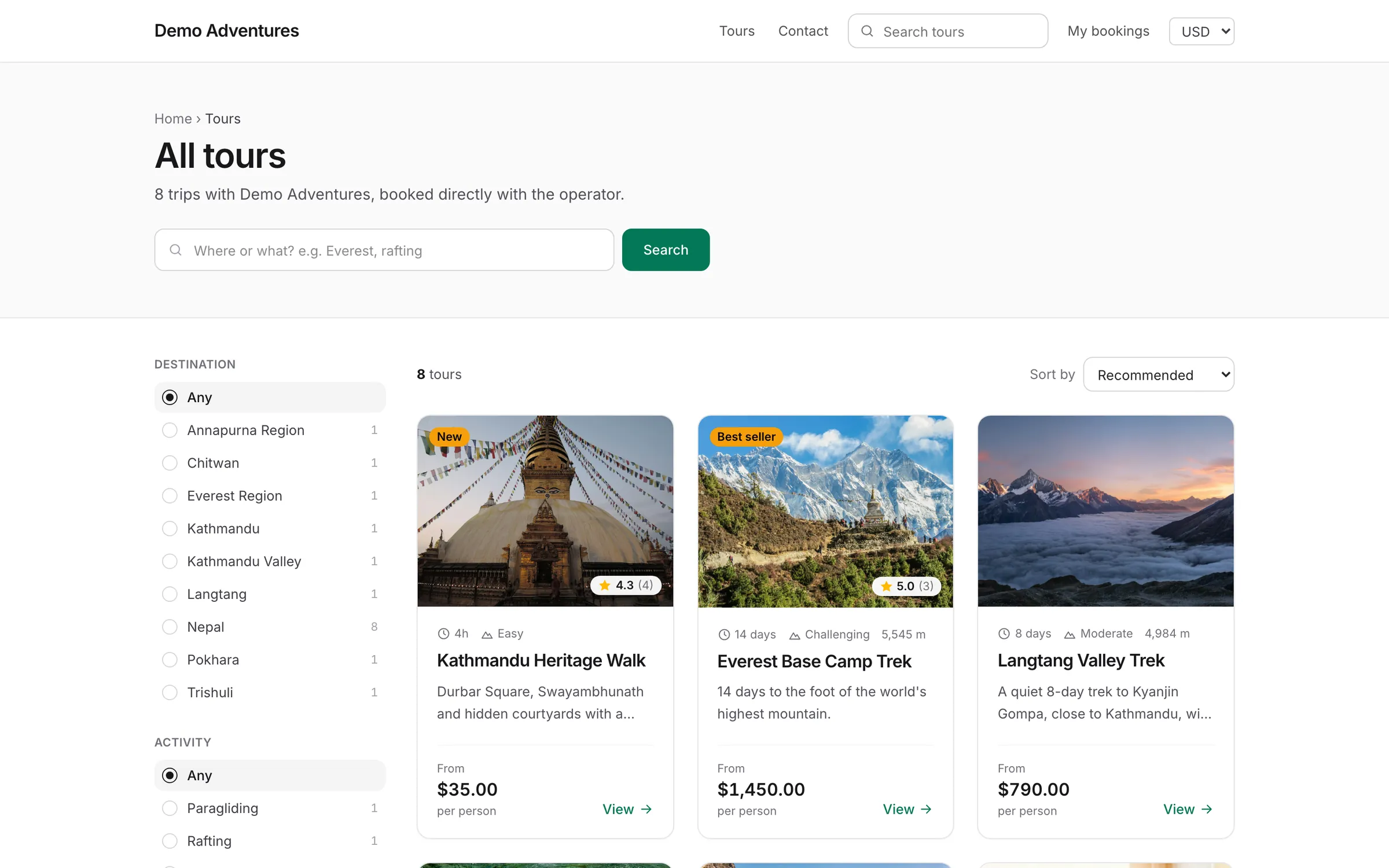
Travellers search by place and by experience. Destinations answer where (Nepal, Everest Region), activities answer what (trekking, cycling), and categories answer what kind of trip (small group, private, family).
Every term gets a landing page with its photo, description, sub-destinations and all the tours tagged with it, including tours in nested terms. They're listed in your sitemap and carry breadcrumb data for search engines.
Capabilities
What's included
-
Three ways to organise
Destinations, activities and categories, each with its own pages.
-
Nesting
Put Everest Region inside Nepal; the parent page lists its sub-destinations and their tours.
-
Search filters
Terms power the filters on your tour listing.
-
SEO fields
Optional SEO title and description, filled in from the name and description when left blank.
-
Menus and blocks
Add terms to menus, home page blocks and footer widgets.
Planning a structure that matches how people search
Sketch your structure before you create terms. Destinations follow geography, from country to region to a specific area, such as Nepal, then Everest Region. Activities describe what people do, such as trekking or cycling, and categories describe the style of trip, such as private, small group or family. Keep each idea in one place: Everest Trekking is a destination and an activity together, not a new destination.
Go only as deep as travellers search. A region with one tour gives a thin page, so it is often better to tag that tour with the parent destination until you have more trips there. The Order field controls the listing order, with lower numbers first.
Keep web addresses in plain letters. The console warns when a slug has letters outside a to z, because those become long percent codes when an address is shared.
What a landing page shows travellers
Each landing page is built from your live catalogue. Under the name it shows how many tours there are, the lowest starting price and the average review score across those tours. Further down, the latest reviews from that page's tours appear as "What travellers say about" the destination, so proof sits right where people compare trips.
A More destinations section links to up to eight other terms that have tours, helping visitors move from one region to the next, and every page ends with a "Planning a trip to" box that invites travellers to share their dates and group size through your contact page. That gives a page value even for travellers who don't book online.
If no tour is open for booking, the page says so and links to all tours rather than showing an empty grid. Check these pages after a season ends, when many departures close at once.
Descriptions and search results
When a term has no description, the page writes a short factual introduction from the catalogue: the number of tours, the range of trip lengths and the starting price. It's a safe default, but your own two or three sentences about why travellers go there, the best season and what makes your trips different will serve both readers and search engines better.
Every landing page publishes structured data describing a collection page with an ordered list of its tours, plus breadcrumbs. Search engines can see what the page is about and how it fits into your website without guessing.
Each term's URL and search engines section also has Hide from search engines, which suits a category that exists only for your own filtering. The page still works for visitors and in menus but stays out of Google and your sitemap.
Photos, languages and addresses
The term's photo fills the full width of the page header, so choose a wide landscape picture with space for the title. Without a photo, the page uses one from a tour tagged with the term, which works but may repeat an image travellers have just seen on a tour card.
With the Multilingual website plugin, Translate names and addresses gives every term a name and web address in each website language. A blank name shows the main language name on that language's website.
The address bases themselves can be changed under Permalinks, for example /destinations to /places, and every old address then redirects permanently to the new one.
How it works
Destinations & landing pages, step by step
- 1
Create terms
Or type them straight into a tour's Basics tab.
- 2
Tag tours
Add destinations, activities and categories to each tour.
- 3
Show them
Add them to menus, the home page and the footer.
What if a destination has no photo?
A photo from one of its tours is used.
Do landing pages appear in Google?
Yes. Every landing page is in your sitemap, with breadcrumb structured data.
Can I feature some destinations?
Yes. Mark them as featured to show them first in home page blocks.
Related features
Works well with
Start selling tours direct
Try Tourtify free for 30 days. Add your tours, pick a theme and take your first booking today.