Booking website
A booking website that sells while you guide
Professional themes built for tours, one visual editor for every page and your own domain. Every page is fast, mobile-first, ready to rank and available in your travellers' languages, with booking built in.
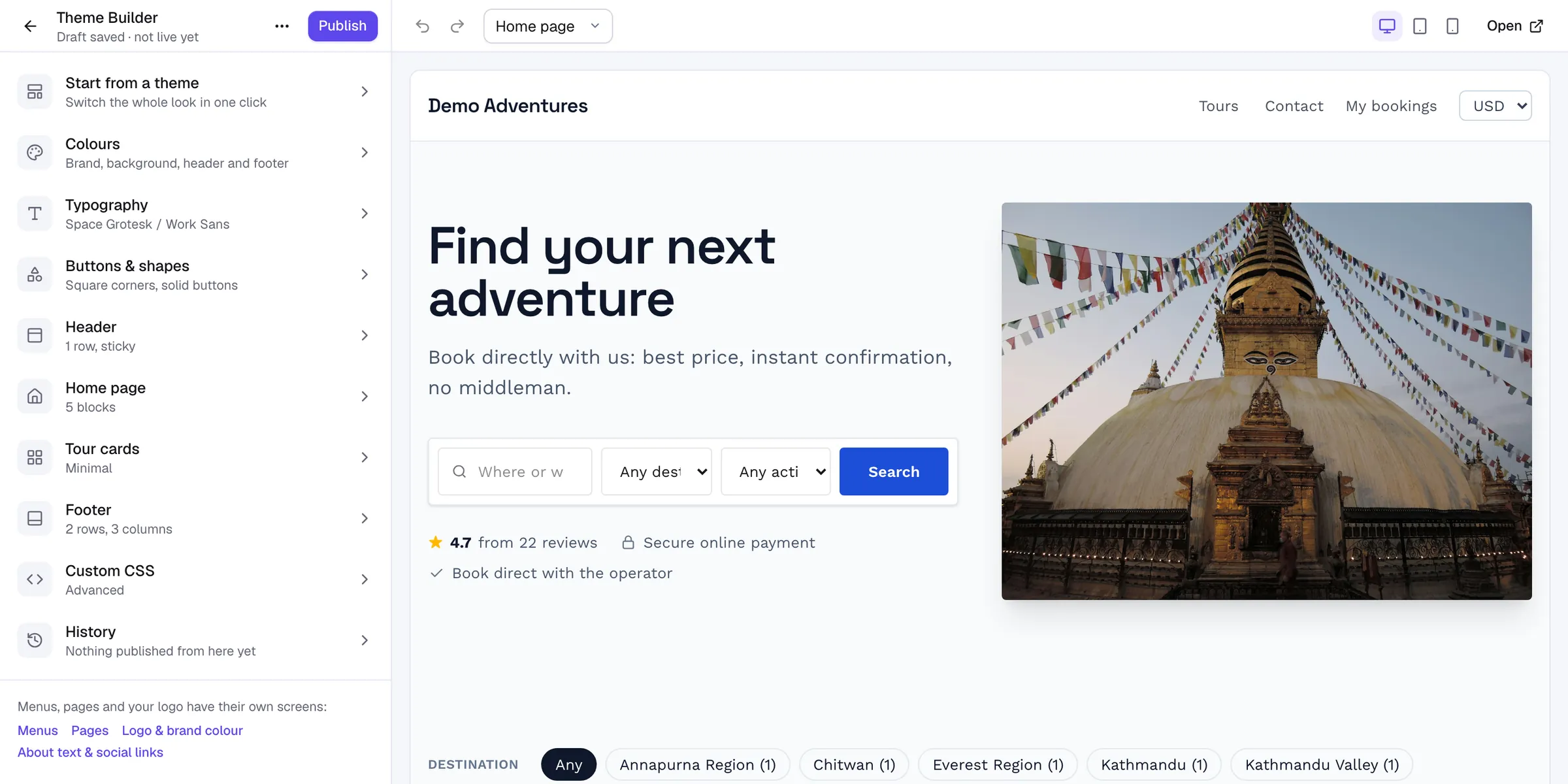
Site editor
Your brand, without a developer
Pick a theme, then change colours, fonts, header, footer and every home page block with a live preview. Publish when you're happy, roll back in one click.
- Edit on your real website, per device
- Almost 100 widgets, header and footer builders
- Scheduled publishing and version history
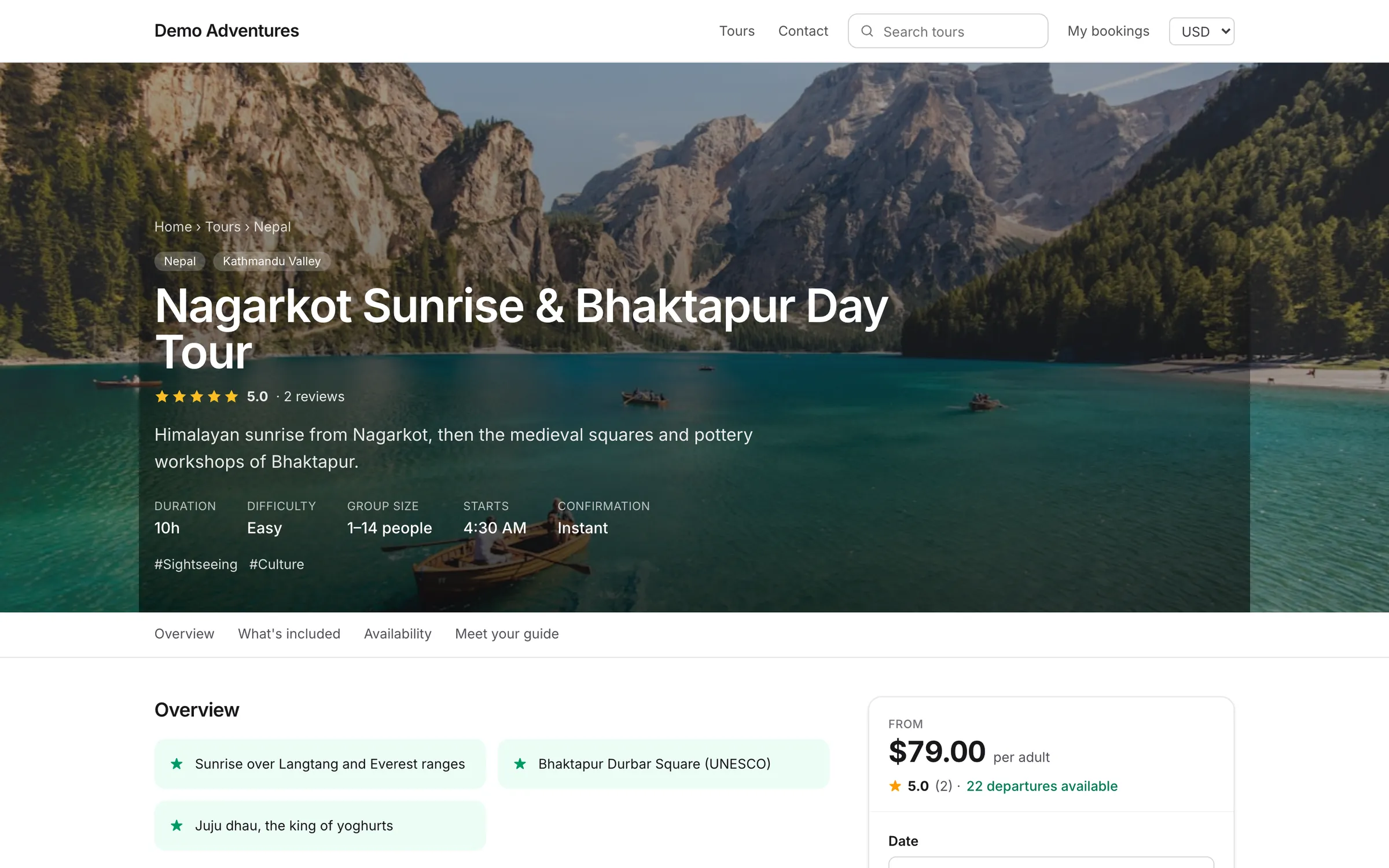
Tour pages
Every answer a traveller looks for
Itinerary, inclusions, meeting point, cancellation policy, gallery, video and 360° tours, with the booking panel always in reach.
- Day-by-day itineraries and maps links
- Trip essentials: meeting point, pickup, languages
- Gallery, video and 360° tours
What's included
Everything in booking website
- Your own domain
- Connect a domain you own. Security certificates are issued and renewed automatically.
- SEO built in
- Clean addresses, titles, structured data for tours and reviews, sitemaps and redirects.
- Destination and activity pages
- Landing pages for every destination, activity and category, with tours, prices and ratings.
- Pages, blog and menus
- About, contact and landing pages, a blog and menus you control.
- Verified reviews
- Travellers are asked for a review after the trip; only real bookings can leave one.
- Ready for AI assistants
- Every site publishes llms.txt and structured data, so assistants describe your tours correctly.
Features
Explore booking website in detail
Site editor & page builder
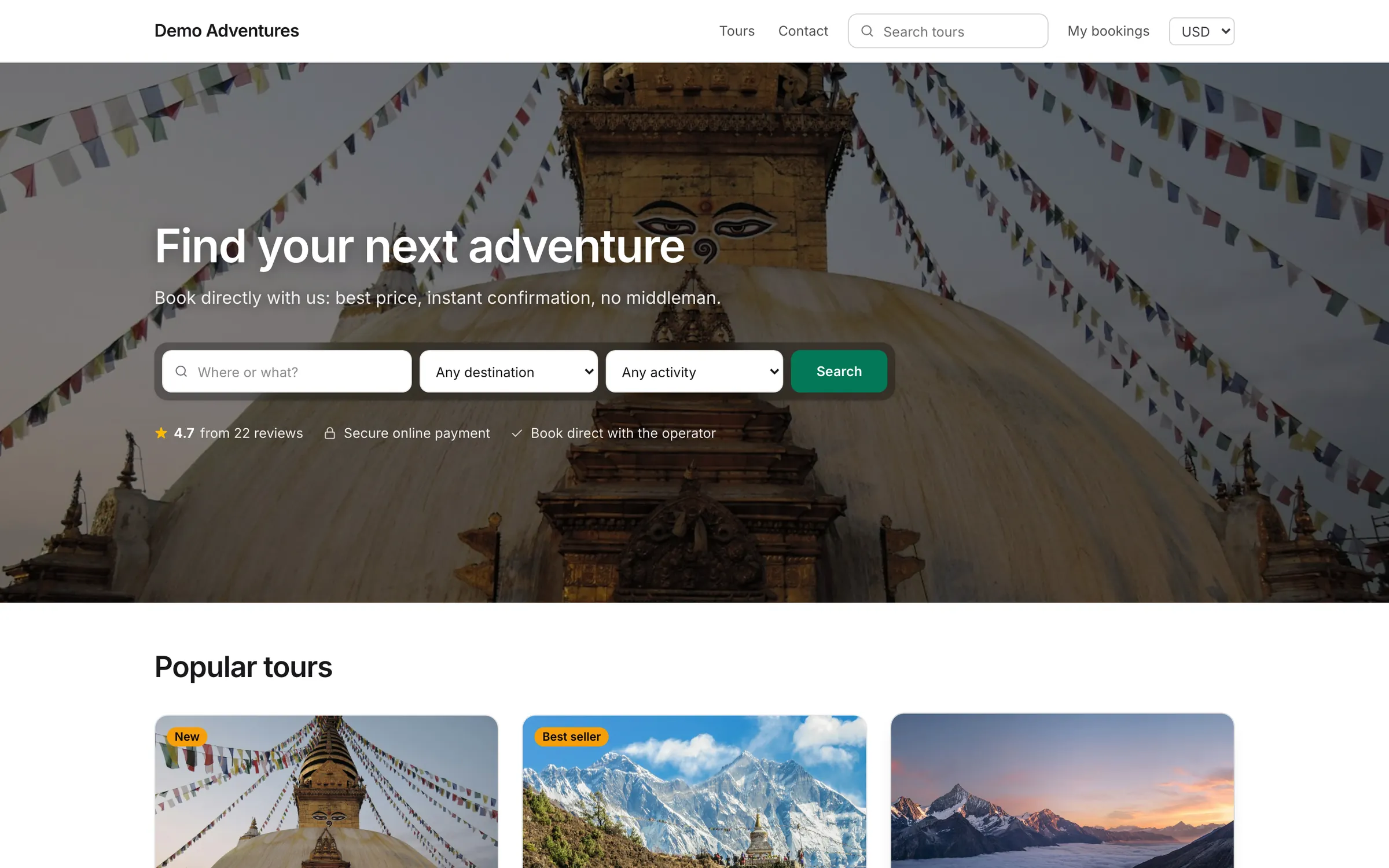
Start from one of ten themes, then edit site styles, header, footer, the home page and any page in the same editor, on your real website, with almost 100 widgets and nothing going live until you press Publish.
Custom domains & SSL
Every website gets a free address with HTTPS from day one. Connect your own domain in a few steps; the security certificate is issued and renewed automatically.
SEO tools
Structured data, sitemaps, canonical addresses and redirects happen automatically. An SEO score guides you through titles, descriptions and keywords on every tour, page and post.
Pages & blog
About us, policies and landing pages, plus a blog for trip reports and guides, written in a Notion-style editor with scheduling, categories and SEO built in.
Media library
Upload photos, videos and PDFs once and reuse them anywhere: tour galleries, pages, theme blocks and downloads, with alt text set once for every place an image appears.
Destinations & landing pages
Organise tours by where, what and what kind of trip. Each destination, activity and category gets its own page, search filter and place in your menus.
Redirects & permalinks
Choose your own URL bases, like /trips instead of /tours, and keep every old address working with permanent 301 redirects, many of them created for you.
Cookie consent
Analytics and advertising cookies are only set after a visitor agrees. The banner appears automatically when you switch on tracking, and booking works either way.
How it works
Booking website, step by step
- 1
Pick a theme
Start from a professional theme made for tour businesses.
- 2
Add your tours
Create tours with itineraries, prices and departures, or import them from WordPress or any tour page.
- 3
Make it yours
Edit colours, fonts, header, footer and every page in one visual editor, on your real website.
- 4
Go live
Connect your own domain. The security certificate is issued for you, and your site is ready to take bookings.
Do I need a designer or developer?
No. Themes are ready to use and the site editor changes everything visually. Custom CSS is there if you want it.
Can I use my own domain?
Yes. Connect a domain you own; Tourtify issues and renews its security certificate automatically.
Is the website good for search engines?
Yes. Clean addresses, editable titles and descriptions, structured data for tours and reviews, sitemaps and redirects are built in.
Can I move my existing website?
Yes. Import trips from a WordPress export or any tour page, and add redirects so old links keep working.
More of the platform
Start selling tours direct
Try Tourtify free for 30 days. Add your tours, pick a theme and take your first booking today.